
WELCOME!
If you’ve arrived at this page it’s possible you were directed here by us or one of our community partners. We’d love to have you attend an upcoming show, and can offer you access community tickets.
Or, you might be at this page because you are a community partner with clients, students, or colleagues you want to connect to a community ticket.
ABOUT COMMUNITY TICKETS:
THEOP is glad to reserve a limited number of community access tickets for each show this season, making sure that everyone who wants to attend a THEOP show gets to attend.
If a free ticket will allow you to attend a show, we welcome you to book up to 2 community tickets free of charge. Come by yourself, or bring a friend or loved- one with you!
Please note that there’s a different code for each performance.
If you go to book a community ticket and the system tells you they’re gone or not available, PLEASE contact us at theop.programming@gmail.com to let us know and ( if we have seats available!) we’ll release a couple more for you to book as community tickets.
FOR TEACHERS/COMMUNITY CONTACTS:
Download and print a how-to sheet to share with students/people HERE.
You’ll find the current code listed below under “How to Book a THEOP Community Ticket”.
Please not that you’ll need to manually enter the current code on this page when you share it. If you need the current code, drop us a line at: theop.programming@gmail.com. The info on this pdf doc also follows below.
HOW TO book A community ticket:
FIRST: Save or copy this code for the upcoming OKTOPUS show: community-ok
SECOND: Click HERE to book your ticket. Please note that your code will be entered at the checkout.
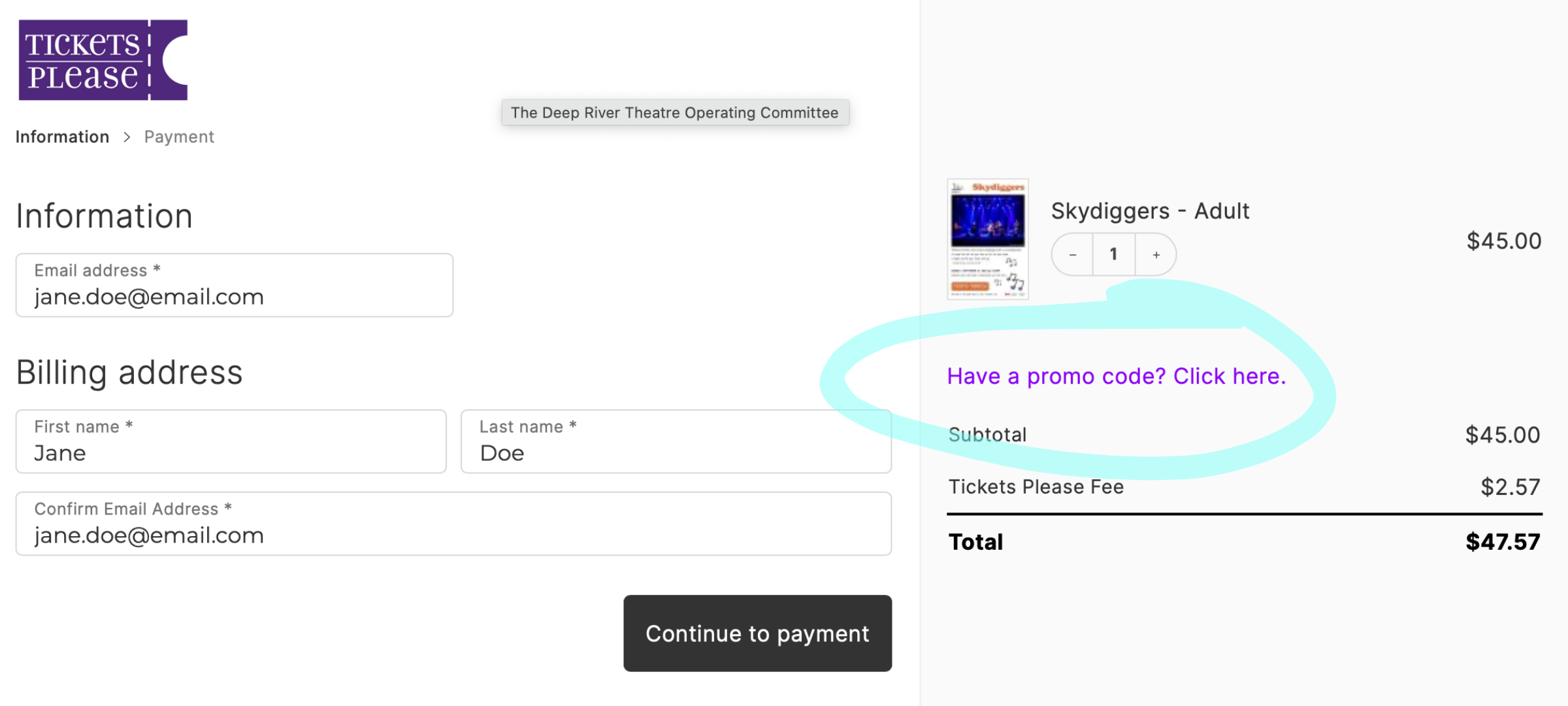
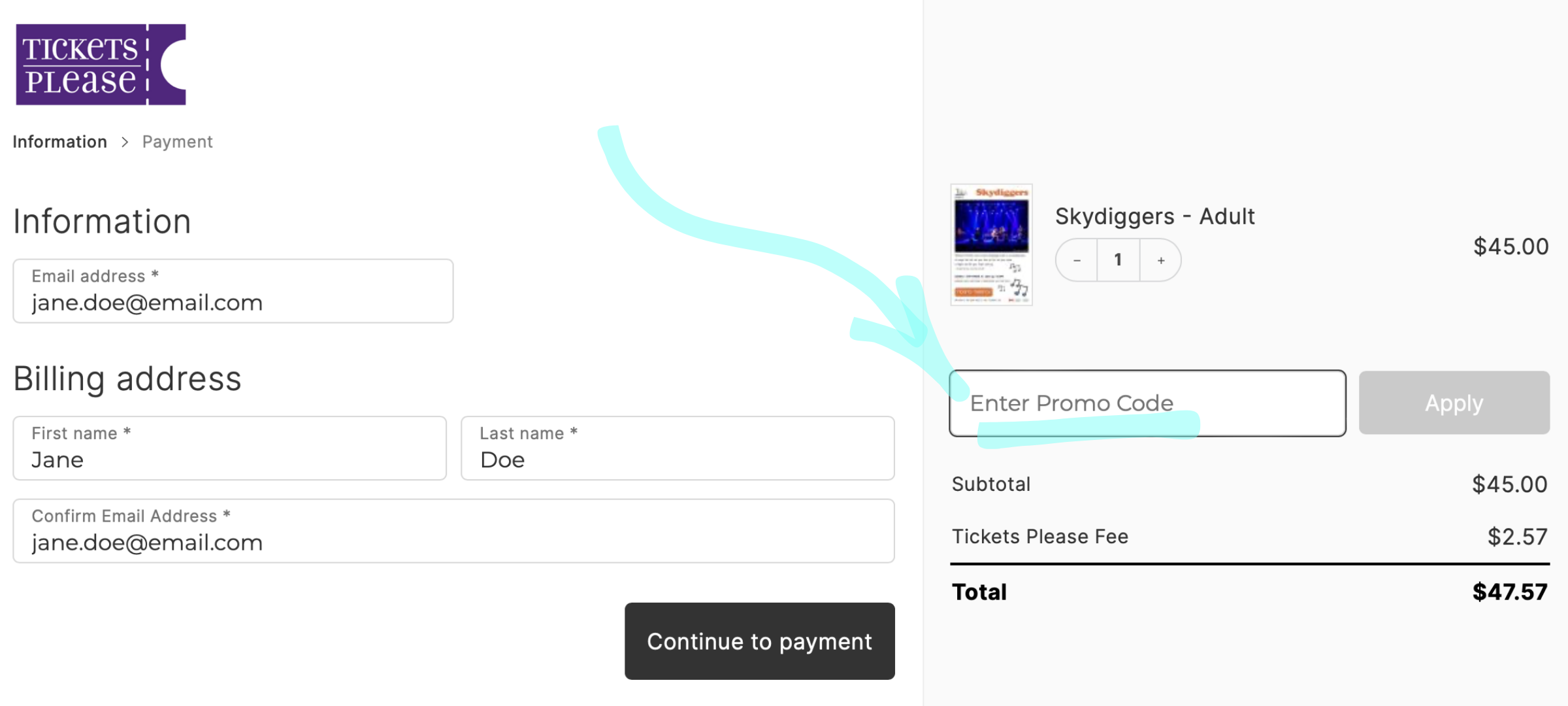
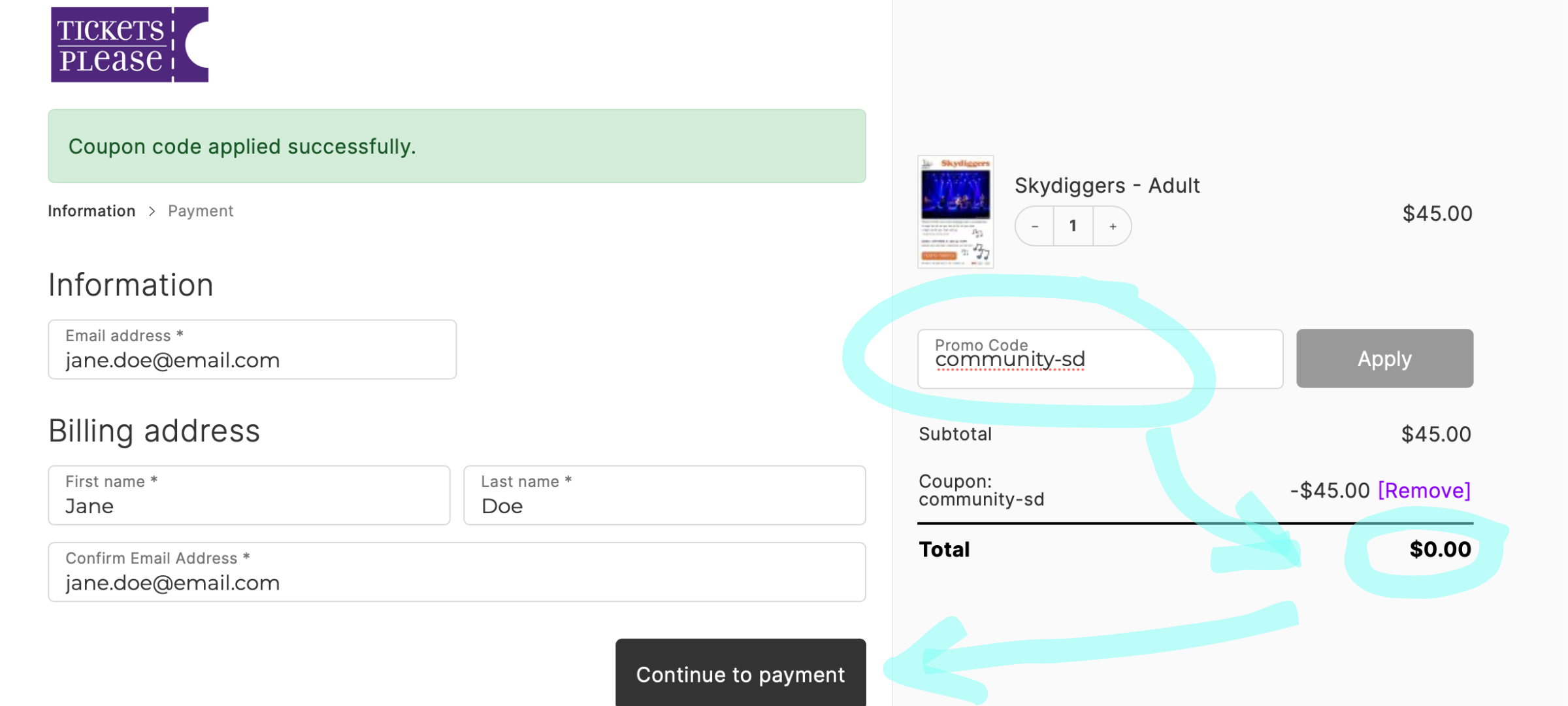
The community ticket booking process looks like this:
- Choose your ticket type (adult or youth).
- Choose your seat/s (you can book 1 or 2 seats).
- Choose “Add to cart”.
- Choose “Proceed to Checkout” and make sure your contact info is correct.
- Choose “Continue to Payment”.
- Enter your promo code by clicking on the purple text that says “Have a promo code? Click here” (see images below for a visual reference)
- Enter your promo code (see images below for a visual reference)
- Select “Continue to payment”(see images below for a visual reference)
- Select “Complete order”.
- Watch for a confirmation in your email.
- Come to the show and enjoy!
- NOTE: we recommend bringing a copy of your ticket in digital or print form; we will also have all ticket-holders on a list at the door in case you forget.
QUESTIONS?
If you have any questions or run into any issues, please don’t hesitate to be in touch with us at: theop.programming@gmail.com
 theop.ca